Coal to Core
Dig for ores, drop them into the tub in the order you dug them, and merge matching ores all the way from Coal to the legendary Star Core.
- Genre
- Mining and merge puzzle
- One round
- About 3 minutes, with auto-save for short sessions
- Controls
- Mouse, keyboard and touch
- Languages
- English and Korean (change it in the game's Settings)
- Saving
- Automatic, in this browser
- Install
- Not needed
- Ads inside the game
- None
About the game
Coal to Core is a mining and merging game played on two linked screens. It runs right in your browser, with nothing to install.
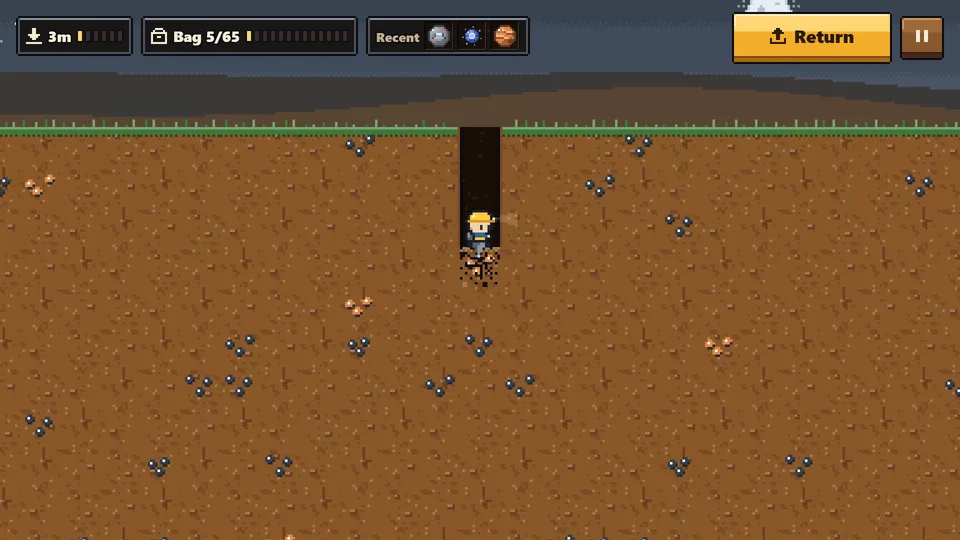
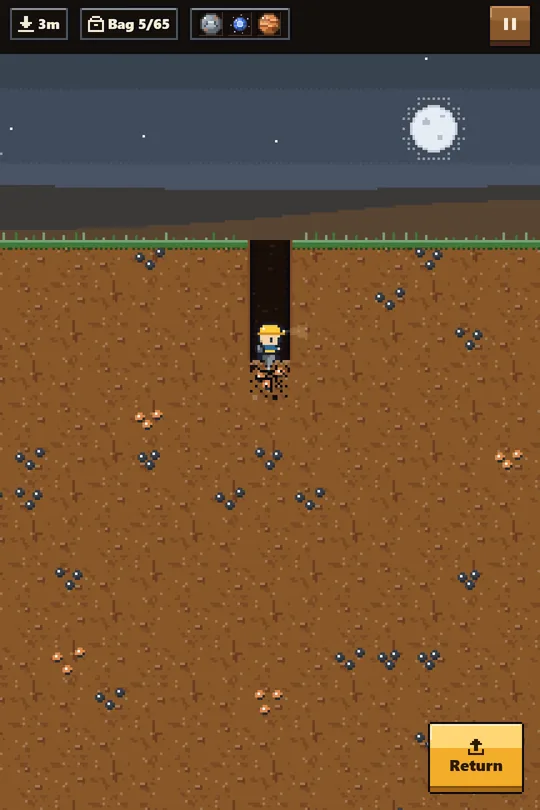
Dig Head down into the mine and dig through the dirt to collect ores. The deeper you go, the rarer the ores. Your bag has limited space, so choose what to dig and in what order. The mine has a new layout every time you go down.
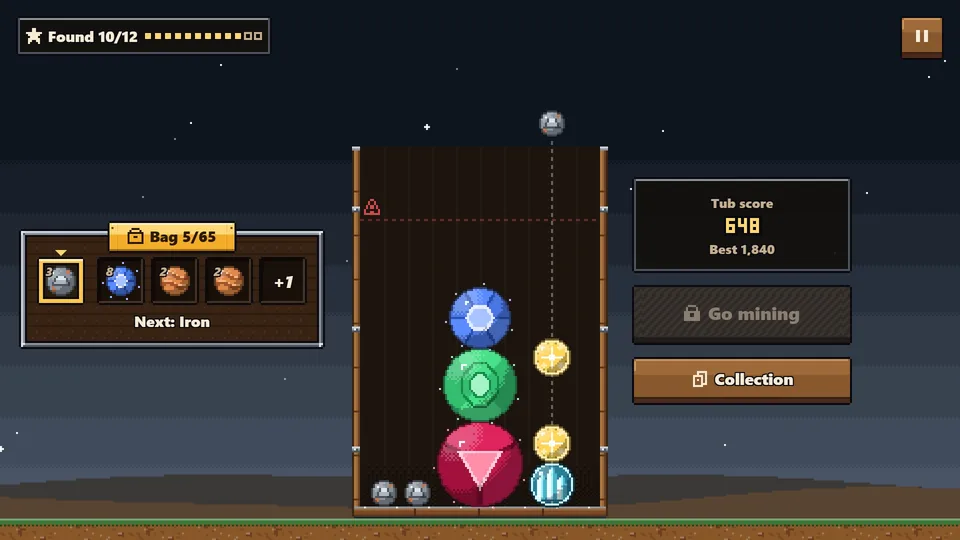
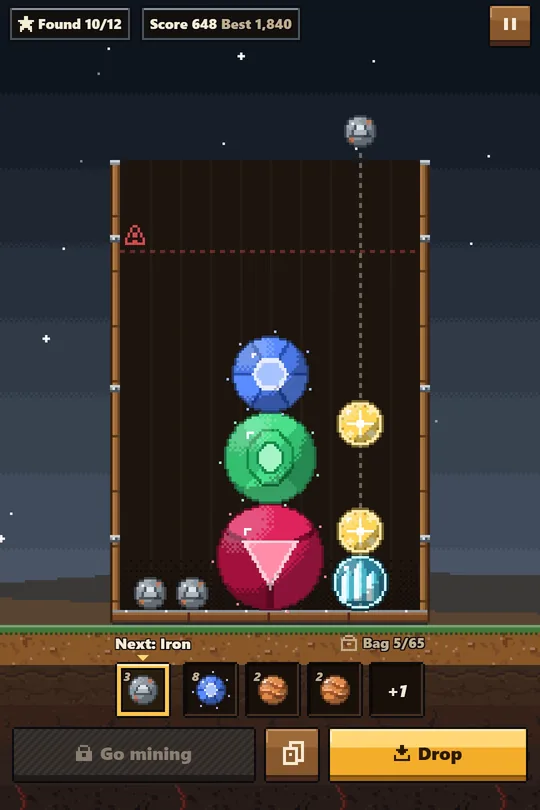
Merge Return to the surface and drop your ores into the tub. When two matching ores touch, they merge into the next ore. There are 12 stages: Coal, Copper, Iron, Silver, Gold, Crystal, Amethyst, Sapphire, Emerald, Ruby, Diamond and, finally, the Star Core.
The Twist Ores go into the tub in the exact order you dug them, and you can see the next three. The order you dig in the mine is your plan for the tub. If ores stay above the warning line for too long, the tub collapses and the ores inside it are lost. Your bag and your Collection are kept, so you can keep going with a new tub.
Discover all 12 ores to complete your Collection. Each new discovery gives you extra bag space, and making the Star Core takes you to the ending. Progress is saved automatically, so you can play in short sessions.
Features
- Two linked screens: dig in the mine, merge in the tub
- 12 ores and Collection cards, from Coal to the Star Core
- Ores drop in the order you dug them, so plan ahead
- A tub collapse never wipes your run: your bag and Collection stay
- Auto-save, English and Korean, mouse, keyboard and touch
- Pixel art and sound effects made in code
How to play
- Start Press Play to start right away in the mine. If you have a save, press Continue to pick up on the surface.
- Dig Move the miner to dig down through the dirt. Dig a block with ore in it and the ore goes into your bag. The order you collect ores is the order they will drop into the tub. The Recent box at the top shows the last three ores you collected.
- Return When your bag is full, "Bag is full" appears and any more ores you dig are lost. Press Return (R on the keyboard) at any time to go straight back to the surface.
- Drop On the surface, aim over the tub and drop an ore. You always drop the ore at the front of your bag line, and you can see the next three beside it. After each drop, you can drop the next ore 0.5 seconds later.
- Merge When two matching ores touch, they merge into one ore of the next stage. If the new ore touches another matching ore, they merge again in a chain, and chains earn bonus points.
- Warning line If an ore stays above the red dotted line near the top of the tub for 3 seconds, the line starts flashing. At 5 seconds the tub collapses. Only the ores inside the tub and the current tub score are lost; your bag and Collection stay. Press "Keep going with a new tub" to continue with an empty tub.
- Back to the mine Once the ores in the tub have settled and nothing is above the warning line, the Go mining button (M on the keyboard) unlocks. You can go down even with ores left in your bag; new ores join the end of the line.
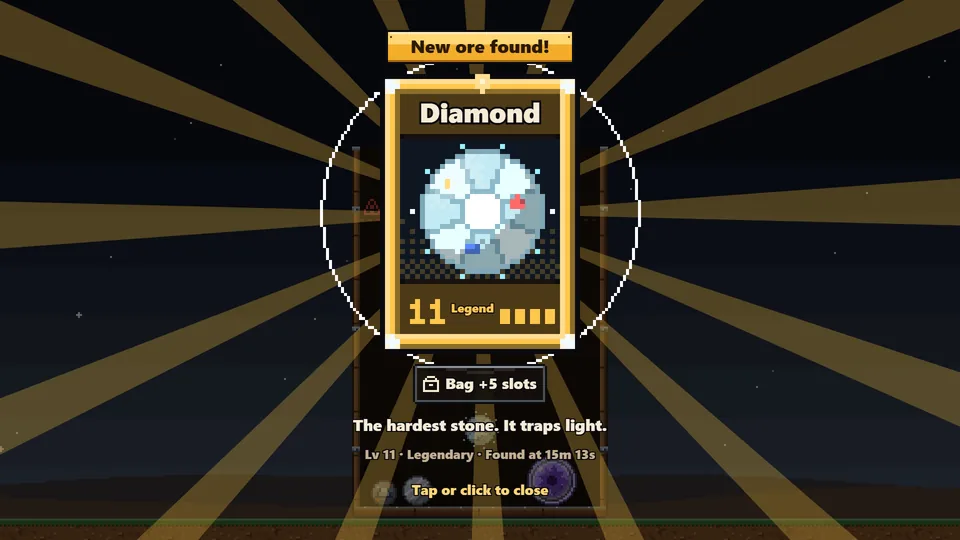
- Collection and ending Every ore you make for the first time is added to your Collection as a card, and your bag grows by 5 slots (your first Coal is added without a card). Make the Star Core, the 12th ore, to reach the ending. You will see your total play time, mine trips, tub collapses, longest chain and all 12 cards, and you can save a picture of your records with Download.
Controls
Mouse
- Mine: hold the left button and drag to move and dig (drag up to boost)
- Tub: move the mouse over the tub to aim, click to drop the next ore
- Buttons: Return, Go mining, Collection, Pause
Keyboard
- Mine: Arrow keys or WASD to move and dig, Up or W to boost, R to return to the surface
- Tub: Left/Right or A/D to aim, Space or Enter to drop the next ore, M to go mining
- C: Collection (on the surface)
- P or Esc: pause
Touch (phone and tablet)
- Mine: hold and drag on the screen to move and dig, tap Return to go back up
- Tub: drag to aim, then tap the Drop button. Lifting your finger does not drop the ore
- Buttons: Go mining, Collection, Pause
Ores always drop in the order you dug them.
Tips
- Dig matching pairs back to back. Ores drop in the order you dug them, so if you collect two matching ores in a row, they drop one after the other and are easy to merge. What you dig, and in what order, is your plan for the tub.
- Use the next-three preview. If the partner for the ore you are about to drop is among the next three, you can plan ahead: drop this one here, then the next one right on top of it.
- Dig deeper for rarer ores. The ores you find change every 30 m. From 0 to 30 m you only find Coal and Copper, while Sapphire and Emerald appear only on the bottom layer, from 150 to 180 m, and they are rare. Below 180 m is solid bedrock that cannot be dug.
- Make new ores in the tub first. Ores you have never made show up as Coal in the mine. Each new ore you make also adds 5 bag slots, so you can bring back more ores per trip.
- Return as soon as your bag is full. Ores you dig after your bag is full are lost. There is no time limit in the mine, so choose what fills your bag, and once it is full, press R (or Return) to go straight back up.
- A flashing line means you have 2 seconds. If an ore resting on the floor or on other ores stays above the warning line for 3 seconds, the line starts flashing, and the tub collapses at 5 seconds (from 4 seconds it flashes faster and a warning sound plays). Ores that are still falling are not counted, but a merged ore keeps the time its parts spent above the line. The timer only resets once the top of the ore drops back below the line.
- Build chains for bonus points. If a freshly merged ore merges again within 1.5 seconds, the chain continues, and each chain step adds half of the base score. For example, a Diamond made on chain 3 scores 1,024 plus 1,024, for 2,048 points.
- Keep big ores to one side of the floor. One Diamond is about two fifths of the tub's width, so two Diamonds fit side by side on the floor. Keep your first Diamond on one side and make the second one next to it, and you can go for the Star Core without stacking high.
The 12 ores
| # | Ore | Rarity | Where to find it | Card text |
|---|---|---|---|---|
| 1 | Coal | Common | Found at every depth from the start. | Where every ore begins. Black and lightweight. |
| 2 | Copper | Common | From 0 m, after you first make it. | A soft metal with a reddish sheen. |
| 3 | Iron | Common | From 30 m, after you first make it. | A hard, heavy gray metal. |
| 4 | Silver | Common | From 60 m, after you first make it. | Shines white like moonlight. |
| 5 | Gold | Rare | From 90 m, after you first make it. | A yellow metal that never rusts. |
| 6 | Crystal | Rare | From 120 m, after you first make it. | Bends light into rainbows. |
| 7 | Amethyst | Rare | From 120 m, after you first make it; uncommon. | Purple crystals grow layer upon layer. |
| 8 | Sapphire | Epic | Only on the bottom layer (150 to 180 m), after you first make it; rare. | A gem holding the color of the deep sea. |
| 9 | Emerald | Epic | Only on the bottom layer (150 to 180 m), after you first make it; very rare. | A green gem with a forest locked inside. |
| 10 | Ruby | Epic | Only by merging in the tub. | A red gem holding a flame. |
| 11 | Diamond | Legendary | Only by merging in the tub. | The hardest stone. It traps light. |
| 12 | Star Core | Legendary | Only by merging in the tub; making it ends the game. | The spark that lights a newborn star. |
Merge two matching ores to get one ore of the next number. Only ores 1 to 9 can go in your bag.
FAQ
Where is my progress saved?
Your progress is saved automatically in this browser. If you clear the browser's site data, or open the game on another device or browser, you will start from the beginning.
What happens if I close the game while in the mine?
That mine trip is lost, and next time you continue on the surface. The ores in your bag, and their order, are kept.
I can't hear any sound.
Browsers only allow sound after your first click, tap or key press, so the sound effects start then. You can turn sound effects on or off on the pause screen or in Settings on the title screen. There is no background music.
How do I change the language?
The game starts in your browser's language (Korean for Korean browsers, English for everything else). You can change it in Settings, then Language, on the title screen. During play, go to Pause, then Main menu, then Settings.
Does it work on phones?
Yes, in both portrait and landscape. In the tub, drag to aim, then tap the Drop button. Lifting your finger alone does not drop the ore.
How do I start over?
On the title screen, go to Settings, then Reset save, and confirm. After the ending, press Start over on the ending screen.
The game stopped when I switched tabs.
The game pauses automatically when you switch tabs or leave the window. Press Resume to continue.
Screenshots